
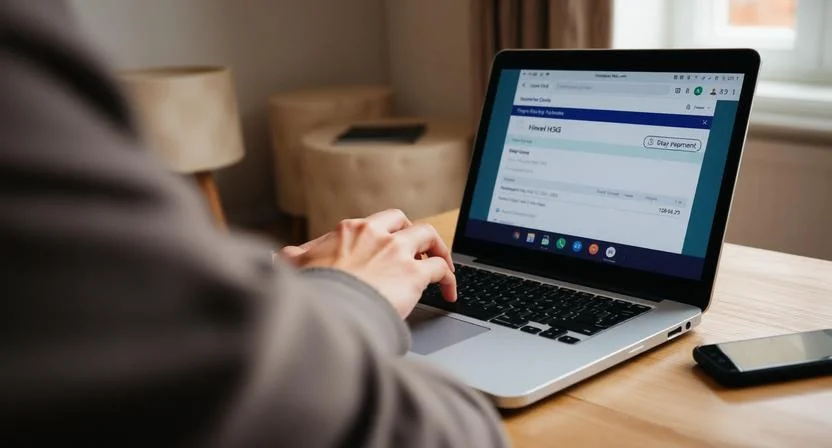
H3G on a bank statement refers to Hutchison 3G UK Limited, the registered company name for Three UK. It usually appears when a customer pays for a Three mobile contract, SIM-only plan, broadband service, add-on, airtime bill, or device loan.
In most cases, it is a legitimate payment, but it should be checked if the customer does not recognise the amount, date, or account.
Key takeaways:
- H3G usually means a payment to Three UK.
- H3G may cover airtime, mobile bills, SIM-only plans, broadband, or add-ons.
- H3GDEVICEPAYMENT or H3GD P normally refers to a handset, tablet, or device loan.
- Two Three payments may appear if airtime and device plans are billed separately.
- Unrecognised H3G charges should be checked through the Three app, Three support, and the bank.
What Does H3G on a Bank Statement Mean?
H3G on a bank statement means the payment is connected to Hutchison 3G UK Limited, commonly known as Three UK. Three is a mobile network provider in the UK, and its legal or billing name can appear differently on bank records.
A customer may know the company as “Three”, but their bank may record the transaction as:
- H3G
- Hutchison 3G
- H3G UK
- H3G Direct Debit
- H3GDEVICEPAYMENT
- H3GD P
This usually relates to a mobile phone plan, SIM-only deal, mobile broadband, home broadband, or a device payment plan.
Hutchison 3G UK Limited Explained
Hutchison 3G UK Limited is the registered business name associated with Three UK. Because banks often show the company’s legal or payment processing name rather than the brand name, a customer may see H3G on bank statement instead of “Three”.
This does not automatically mean there is a problem. It simply means the payment has been collected under the company’s registered or payment reference name.
Why Three UK May Appear as H3G
Three UK may appear as H3G because banks and payment systems often shorten merchant names. The term “H3G” comes from Hutchison 3G, which is linked to Three’s business identity.
For example, a person may receive a monthly bill from Three, but their bank statement may show H3G. This difference in naming is one of the most common reasons customers become unsure about the charge.
Simple note: H3G is usually the bank statement version of a Three UK payment.
Why Does H3G Show on a Bank Statement?
H3G shows on a bank statement because a payment has been taken for a Three UK service. This could be a regular direct debit, a card payment, a one-off payment, or a separate charge linked to a device finance agreement.
The exact reason depends on the customer’s Three account and payment setup.
Monthly Mobile Contract Payments
A monthly mobile contract is one of the most common reasons for seeing H3G on bank statement. This may include the customer’s airtime plan, texts, calls, mobile data, roaming charges, and additional usage outside the allowance.
For example, if a customer has a pay-monthly Three phone contract, the bank may show H3G when the monthly bill is collected.
SIM-Only Plans and Usage Charges
SIM-only customers may also see H3G charges. A SIM-only plan normally covers mobile data, calls, and texts without a handset included.
Extra charges may appear if the customer uses services outside their normal allowance, such as:
- International calls
- Premium-rate texts
- Roaming outside included destinations
- Additional data add-ons
- Late payment charges
Broadband, Add-ons, and Extra Services
H3G may also appear for Three broadband services. This can include mobile broadband, 5G home broadband, dongles, tablets, or data-only SIM plans.
Add-ons can also create extra payments or increase the monthly charge. These may include data boosts, international usage packages, entertainment bundles, insurance, or account-related fees.
Is H3G on a Bank Statement a Legitimate Charge?
In most cases, H3G on a bank statement is a legitimate charge if the account holder is a Three UK customer. It normally means Three has collected payment for a mobile, broadband, SIM-only, or device-related service.
However, it should still be checked carefully if the person does not recognise the amount, date, or payment reference.
Bank Statement Reference Likely Meaning Common Reason
H3G Three UK payment Airtime, SIM-only, broadband, add-ons, or monthly bill
Hutchison 3G Three UK registered company name Standard direct debit or card payment
H3GDEVICEPAYMENT Three device payment Handset, tablet, or device loan
H3GD P Short version of device payment Device finance or loan repayment
H3G Direct Debit Automatic Three payment Monthly account payment
A billing adviser explained this confusion clearly: “I often see customers worry when H3G appears on their bank statement because they are expecting the word Three. In most cases, I tell them to compare the amount and date with their Three bill first, as the bank reference and the brand name do not always match.”
This kind of check can quickly confirm whether the charge is expected or whether it needs further investigation.
What Is the Difference Between H3G and H3GDEVICEPAYMENT?
The difference between H3G and H3GDEVICEPAYMENT is usually the type of charge. H3G often relates to airtime, usage, SIM, broadband, or account services, while H3GDEVICEPAYMENT usually relates to a device loan or finance agreement.
This is especially important for customers who have taken a phone, tablet, or other device with their Three plan.
H3G Airtime Payments
H3G airtime payments usually cover the service part of a Three contract. This may include the customer’s monthly allowance for calls, texts, and data.
It can also include extra usage or add-ons added to the account. If a customer sees H3G on bank statement every month for a similar amount, it may simply be the standard airtime bill.
H3GDEVICEPAYMENT or H3GD P Device Payments
H3GDEVICEPAYMENT or H3GD P usually relates to the cost of a handset, tablet, or device loan. Many phone contracts separate the cost of the device from the cost of the airtime plan.
This means the customer may have one payment for using the network and another payment for the physical device.
Why Two Separate Three Charges May Appear?
Two separate charges may appear when a customer has both an airtime plan and a device payment plan. One payment may show as H3G, while the other may appear as H3GDEVICEPAYMENT or H3GD P.
For example, a customer with a phone contract may see:
- One charge for the airtime plan
- One charge for the handset loan
This does not always mean the customer has been charged twice by mistake. It may simply reflect two parts of the same overall Three agreement.
Why Might Someone See Two H3G Charges in One Month?
Someone may see two H3G charges in one month because Three may collect separate payments for different parts of an account. This is common where a mobile plan and device agreement are billed separately.
Other reasons may include a recent account change, a bill adjustment, a missed payment being collected, an add-on purchase, or more than one Three service connected to the same bank account.
For example, a household may have:
- One Three mobile contract
- One SIM-only plan for another family member
- One 5G broadband service
- One device repayment plan
In this situation, more than one H3G charge could appear on the same bank statement.
How Can Someone Check an H3G Charge?
Someone can check an H3G charge by comparing the payment with their Three account, bill, and direct debit details. The goal is to confirm whether the amount, date, and service match a known Three UK product.
Checking the Three App
The Three app is usually the easiest place to start. A customer can log in and check the latest bill, payment date, plan details, add-ons, and usage charges.
The bill may say “Three”, while the bank statement says “H3G”. This difference is normal and can explain why the payment looked unfamiliar at first.
Reviewing Bank Direct Debits
The customer should also check the direct debit section of their online banking app. This may show the company name, payment reference, date created, and amount.
If the direct debit is active and matches the Three bill, the charge is likely genuine.
Matching the Charge With a Three Bill
The customer should compare:
- The amount taken from the bank
- The date of the payment
- The billing period
- The account number or reference
- Any recent add-ons or extra usage
A consumer finance specialist described the process in simple terms: “When I review an unknown mobile payment, I first match the transaction date and amount with the provider’s bill. If both line up, it is usually a billing-name issue rather than a suspicious transaction.”
This approach helps avoid unnecessary concern while still keeping the customer alert to unauthorised activity.
What Should Someone Do If They Do Not Recognise an H3G Payment?
If someone does not recognise an H3G payment, they should not ignore it. The first step is to check whether they, a partner, a family member, or someone with access to the bank account has a Three service.
They should then log in to the Three app or website to check whether the payment matches an active bill. If they cannot find a matching account, they can contact Three customer service. Three customers can usually call 333 from a Three phone.
If the person has never been a Three customer, or if the payment still cannot be explained, they should contact their bank. The bank can help check whether the direct debit or transaction is authorised and advise on the next steps.
Could H3G on a Bank Statement Be Fraud?

H3G on a bank statement can be fraud in some cases, but it is usually a genuine Three UK payment. Fraud may be possible if the person has never had a Three account, did not authorise a direct debit, or notices unusual payment activity.
The customer should treat the charge seriously if it appears without any clear reason.
Signs the Charge May Be Unauthorised
A charge may be suspicious if:
- The person has never used Three UK
- No family member has a Three account
- The amount is unusual or much higher than expected
- The payment appears suddenly without any contract
- The bank shows a new direct debit that the customer did not set up
- Three cannot find an account linked to the customer
When to Contact the Bank?
The customer should contact the bank if they believe the H3G payment is unauthorised. The bank may be able to cancel the direct debit, investigate the transaction, and explain whether the Direct Debit Guarantee applies.
If fraud is suspected, the customer should act quickly. They may also need to update online banking passwords, review other transactions, and monitor the account for further unusual activity.
How Can Someone Cancel or Manage an H3G Direct Debit?
Someone can cancel or manage an H3G direct debit through their bank, but they should be careful before doing so. Cancelling the direct debit does not automatically cancel the Three contract or remove the debt.
If the charge is genuine and the customer still has an active Three agreement, cancelling the direct debit may lead to missed payments, late fees, service restrictions, or credit file issues.
The safer approach is to contact Three first and ask what the payment relates to. If the customer wants to cancel a plan, upgrade, change payment dates, or dispute a charge, Three can explain the available options.
A customer should only cancel the direct debit immediately if they believe the payment is unauthorised or fraudulent. Even then, they should contact the bank and Three to make sure the issue is properly recorded.
What Should Three UK Customers Know About H3G Billing?

Three UK customers should know that H3G billing references are normal and may appear instead of the Three brand name. The wording on a bank statement can look more technical because it reflects the registered company or payment processing name.
Customers should also understand that different services may produce different payment references. Airtime, broadband, and add-ons may appear as H3G, while device finance may appear as H3GDEVICEPAYMENT or H3GD P.
It is also possible for a customer to receive more than one charge in a month if they have several Three products or separate device and airtime agreements.
Important reminder: The bank statement name may differ from the customer-facing brand name.
How Can H3G Charges Be Avoided or Monitored in Future?
H3G charges can be monitored by regularly checking the Three app, bank statement, and direct debit list. Customers should also keep copies of their contracts, device finance agreements, and monthly bills.
To avoid confusion in future, a customer can:
- Rename the transaction in their banking app if the bank allows it
- Set a monthly reminder for the Three billing date
- Check the Three bill before the payment leaves the account
- Review add-ons and usage charges each month
- Keep separate records for airtime and device payments
- Contact Three if the amount changes unexpectedly
Good account monitoring helps customers quickly recognise genuine charges and spot unusual activity sooner.
Conclusion: What Does H3G on a Bank Statement Usually Mean?
H3G on bank statement usually means a payment has been made to Hutchison 3G UK Limited, the registered company behind Three UK.
For most customers, it is a normal charge linked to a mobile contract, SIM-only plan, broadband service, add-on, airtime bill, or device loan.
The payment may appear as H3G, Hutchison 3G, H3GDEVICEPAYMENT, or H3GD P depending on the type of charge. A single Three customer may also see two payments if their airtime and device costs are billed separately.
If the charge is recognised, the customer can simply match it with their Three bill. If it is not recognised, they should check the Three app, contact Three customer service, review their bank direct debits, and speak to their bank if the payment may be unauthorised.
Frequently Asked Questions About H3G on Bank Statement
Does H3G always mean Three UK?
H3G usually means Hutchison 3G UK Limited, which is connected to Three UK. In most UK bank statements, it refers to a Three mobile, broadband, SIM-only, or device-related payment.
Why does a Three bill appear as H3G on bank records?
A Three bill may appear as H3G because banks often use the company’s registered or payment processing name rather than the customer-facing brand name. Three is the brand, while Hutchison 3G UK Limited is connected to the company identity.
What is H3GDEVICEPAYMENT on a bank statement?
H3GDEVICEPAYMENT usually means a payment for a device loan or finance plan with Three. This can relate to a handset, tablet, or other device bought as part of a Three agreement.
Can H3G take money through direct debit?
Yes, H3G can appear as a direct debit when a customer has agreed to pay Three automatically each month. This is common for mobile contracts, SIM-only plans, broadband, and device repayment plans.
Why are there two payments from Three on the same account?
There may be two payments because one charge is for airtime and the other is for a device loan. Some Three agreements separate the monthly network plan from the handset or tablet repayment.
What should someone do if they never had a Three account?
If someone has never had a Three account and sees H3G on bank statement, they should contact their bank and Three. The bank can help investigate whether the direct debit or transaction was authorised.
Can a bank refund an unauthorised H3G direct debit?
A bank may be able to help under the Direct Debit Guarantee if the H3G payment was unauthorised or taken incorrectly. The customer should contact the bank as soon as possible and provide details of the transaction.

Leave a Reply