
Last Updated On AUG 14, 2026
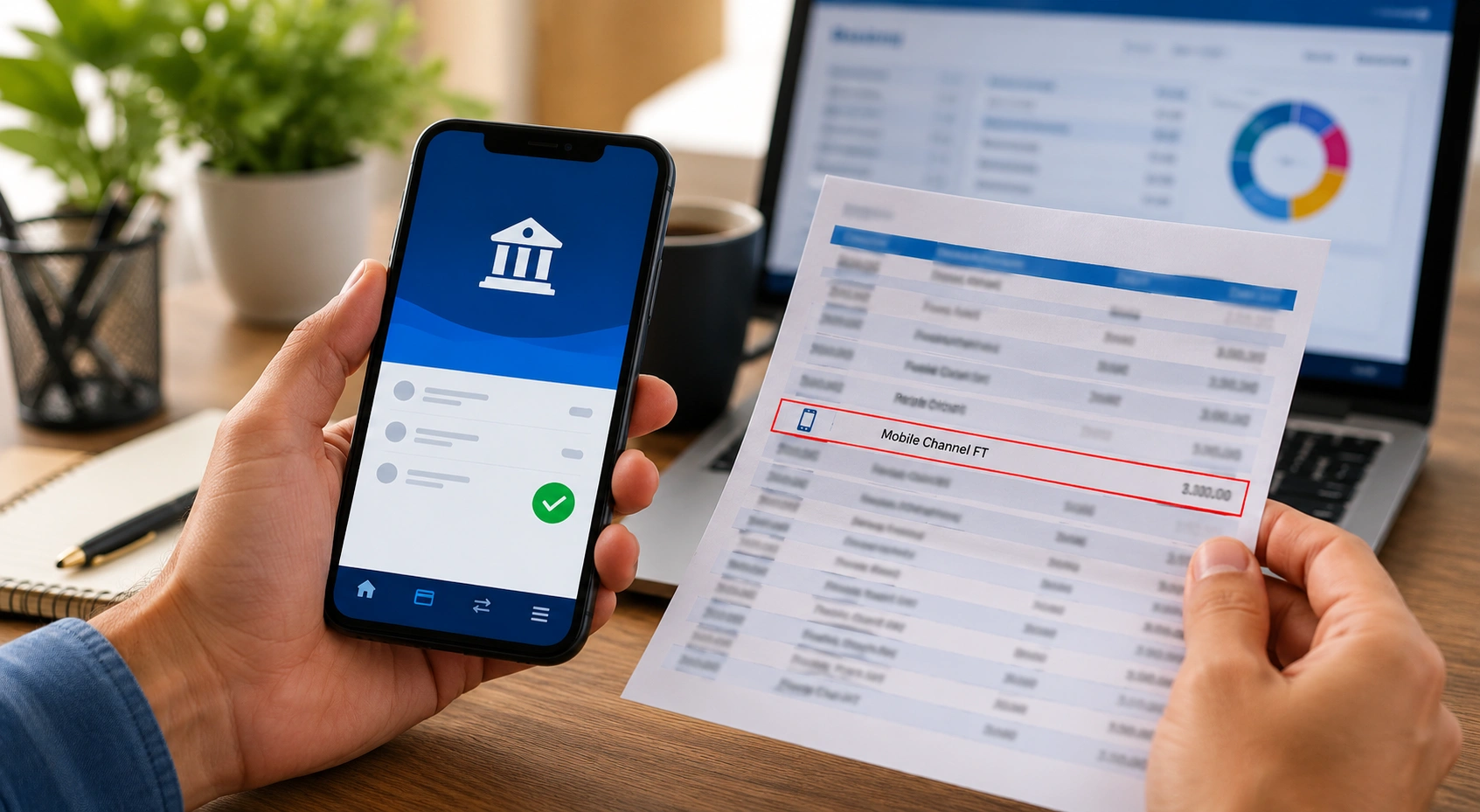
If you see Mobile Channel FT on a bank statement, it generally indicates a funds transfer associated with a mobile banking channel. “FT” is commonly interpreted as Funds Transfer, while “Mobile Channel” describes the digital route through which the transfer was initiated.
However, Mobile Channel FT is not a standard statement code used or defined in exactly the same way by every UK bank. Banks use their own transaction descriptions, so the exact wording and information displayed can vary between providers and account types.
The description has been associated with mobile banking transfers, including in Barclays-related banking contexts, but customers should not assume from the wording alone exactly who sent or received the money.
The best way to identify the transaction is to check the amount, date, payment reference and recipient or sender information in the banking app, and contact the bank if the entry remains unclear.
Key Takeaways:
- Mobile Channel refers to the bank’s mobile banking application.
- FT typically stands for Fund Transfer.
- The transaction indicates money was moved using mobile banking.
- It may involve transfers between personal accounts or payments to others.
- Most Mobile Channel FT entries are legitimate banking transactions.
- Transaction history, dates, amounts, and references can help identify the payment.
- Unrecognised transfers should be reported to the bank immediately.
- Understanding bank statement abbreviations helps with financial monitoring and fraud detection.
What Does Mobile Channel FT Mean on a Bank Statement?
Mobile Channel FT on a bank statement usually means that a fund transfer was made through a bank’s mobile banking app.
In simple terms, “Mobile Channel” refers to the mobile banking route used to start the transaction, while “FT” commonly stands for Fund Transfer.
So, when someone sees mobile channel ft on bank statement, it typically indicates that money has either been sent from or received into the account using a mobile banking application.
| Term | Meaning |
|---|---|
| Mobile Channel | The transaction was started through a mobile banking app |
| FT | Fund Transfer |
| Mobile Channel FT | A mobile banking fund transfer |
| Bank statement entry | The record of the transaction on the account |
Banks often use shortened descriptions on statements because there is limited space. This is why account holders may see codes, abbreviations, or brief transaction labels instead of a full explanation.
Why Does Mobile Channel FT Appear on a Bank Statement?
Mobile Channel FT appears when a transfer has been completed using mobile banking.
This could be a transfer between personal accounts, a payment to another person, or a transaction sent to another UK bank account.
Common reasons include:
- Sending money to friends or family
- Moving money between current and savings accounts
- Paying someone through the banking app
- Making a one-off bank transfer
- Receiving money from another person through mobile banking
The important point is that the statement description may identify the channel used for a transfer rather than the person or organisation involved.
Customers should therefore use the transaction amount, date, reference and available account details to match the entry with their recent banking activity.
Where the underlying transaction was sent through Faster Payments, a single immediate payment can be initiated using a mobile device and is normally available to the recipient almost immediately, although processing can sometimes take longer.
What Types of Transactions Can Be Labelled as Mobile Channel FT?
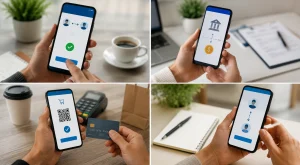
A mobile channel ft on bank statement entry can appear for different types of mobile banking transactions. It does not always mean the same person or company was paid. It simply describes the channel and type of payment.
Transfers Between Personal Bank Accounts
Someone may see this description after transferring money from a current account to a savings account, or from one personal account to another within the same bank.
Sending Money to Friends or Family
If a person sends money to another individual using their mobile banking app, the statement may show Mobile Channel FT rather than the recipient’s full name.
Paying Bills Through Mobile Banking
Some bill payments made manually through the app may also appear as mobile banking fund transfers.
Transfers to Other UK Bank Accounts
A payment made to another UK bank account may show as Mobile Channel FT, especially if it was processed through the app.
| Transaction Type | Could It Show as Mobile Channel FT? |
|---|---|
| Transfer to own savings account | Yes |
| Payment to family member | Yes |
| One-off bank transfer | Yes |
| Direct Debit | Usually no |
| Card payment | Usually no |
| Cash withdrawal | No |
How Can Someone Identify a Mobile Channel FT Transaction?
To identify a mobile channel ft on bank statement entry, the account holder should compare the statement details with their mobile banking records.
The most useful details to check are:
- Transaction date
- Amount transferred
- Payment reference
- Recipient name or account
- Time of transaction, if available
- Recent activity in the mobile banking app
What to Check Why It Matters Date Helps match the entry with app activity Amount Confirms whether the transfer was expected Reference May show who or what the payment was for Recipient Helps identify where the money went App history Shows recent mobile banking actions
If the entry matches a recent transfer, it is likely to be legitimate. If it does not match anything the account holder remembers, it should be investigated quickly.
Is Mobile Channel FT a Legitimate Banking Transaction?
Yes, Mobile Channel FT is usually a legitimate banking transaction. It is commonly connected to digital banking activity and mobile app transfers.
However, legitimacy depends on whether the account holder recognises the payment. A genuine Mobile Channel FT entry should match a real transaction made through the banking app.
The wording “Mobile Channel FT” is not evidence of fraud by itself. What matters is whether the account holder recognises the underlying transfer.
If the amount, date, recipient or payment reference cannot be matched with known activity, the transaction should be checked directly with the bank.
What Should Someone Do If They Do Not Recognise a Mobile Channel FT Transaction?
If someone does not recognise a mobile channel ft on bank statement entry, they should act carefully and quickly.
Review Recent Mobile Banking Activity
The first step is to open the mobile banking app and check recent transfers. The transaction may have been made earlier and forgotten.
Check Account Statements and References
The account holder should look at the payment reference, amount, and date. These details can often reveal whether the transfer was for rent, bills, savings, or a personal payment.
Contact the Bank Immediately
If the transaction still seems unfamiliar, the bank should be contacted using the official number from the bank’s website or bank card.
Report Potential Fraud or Unauthorised Access
If the account holder did not make or authorise the transfer, they should contact their bank immediately. The FCA says customers should normally report unauthorised payments as soon as possible and within 13 months.
Subject to the applicable rules and exceptions, an unauthorised-payment refund should normally be returned by the end of the next business day.
A different situation applies where the customer authorised the transfer but was tricked into sending money to a fraudster. This is generally known as an Authorised Push Payment (APP) scam.
For eligible UK Faster Payments and CHAPS transfers made from 7 October 2024, mandatory reimbursement protections can cover up to £85,000.
Eligible victims should usually be reimbursed within five business days, although complex cases can take up to 35 business days. Some providers may apply an excess of up to £100, subject to the rules.
The latest PSR figures, published on 30 July 2026, show that 88% of the money lost through reimbursable APP scams between 7 October 2024 and 31 March 2026 had been returned to victims.
Anyone who believes they have been scammed should contact their bank immediately. The FCA also directs victims in England, Wales and Northern Ireland to Report Fraud, while people in Scotland should report fraud through Police Scotland.
How Does Mobile Channel FT Differ from Other Bank Statement Codes?

Mobile Channel FT is different from other bank statement descriptions because it usually points to a mobile app transfer.
| Statement Code or Entry | Usual Meaning |
|---|---|
| Mobile Channel FT | Fund transfer through mobile banking |
| Faster Payment | Quick UK bank-to-bank transfer |
| Direct Debit | Pre-authorised payment collected by a company |
| Standing Order | Regular fixed payment set up by the account holder |
| Card Payment | Purchase made using debit or credit card |
| ATM | Cash withdrawal |
A Faster Payment may still be involved in the background, but Mobile Channel FT focuses on how the transaction was initiated: through the mobile banking channel.
What Security Features Protect Mobile Channel FT Transactions?
Mobile banking transfers are protected by several layers of security, although the exact controls differ between banks.
UK payment providers are subject to Strong Customer Authentication (SCA) requirements in relevant circumstances.
SCA is designed to reduce payment fraud by requiring stronger checks when customers access accounts or initiate electronic payments.
Security measures used by banks can include:
- Biometric authentication such as fingerprint or facial recognition
- Passcodes and app-based authentication
- One-time security codes
- Transaction monitoring
- New-payee checks
- Payment warnings
- Confirmation of Payee
- Additional verification for unusual transactions
Confirmation of Payee is particularly important for bank transfers because it checks whether the name entered by the payer matches the account being paid.
By 2026, the FCA and PSR reported that Confirmation of Payee covered more than 99% of relevant payments, giving customers an additional check before transferring money.
These protections cannot prevent every scam. A customer can still be persuaded by a fraudster to authorise a genuine bank transfer, which is why unexpected requests for money should always be checked independently before payment.
Why Is It Important to Understand Bank Statement Abbreviations?
Understanding bank statement abbreviations helps people manage money more confidently. A phrase like mobile channel ft on bank statement can look worrying at first, but it often has a simple explanation.
Knowing what these entries mean can help account holders:
- Avoid unnecessary panic
- Spot unusual transactions faster
- Track personal spending
- Understand mobile banking activity
- Report suspicious transfers promptly
Bank statements are not always written in everyday language. Learning common terms makes it easier to stay in control of personal finances.
What Are the Key Takeaways About Mobile Channel FT on a Bank Statement?

Mobile Channel FT usually means a fund transfer made through a mobile banking app. It may appear when money is sent, received, or moved between accounts.
The key points are:
- Mobile Channel means the transaction was made through a mobile app
- FT usually means Fund Transfer
- The entry is often legitimate
- The account holder should check the date, amount, and reference
- Unrecognised transfers should be reported to the bank quickly
Conclusion
Mobile channel ft on bank statement is usually a standard banking description for a mobile app fund transfer. It shows that money has moved into or out of an account through mobile banking.
In most cases, it is not a cause for concern. However, if the account holder does not recognise the transaction, they should check their mobile banking history, review the payment details, and contact the bank immediately if anything appears suspicious.
Frequently Asked Questions
Can Mobile Channel FT Transactions Be Reversed?
A Mobile Channel FT transaction may not always be reversible, especially if the money has already reached the recipient.
The account holder should contact the bank as soon as possible if the transfer was made by mistake or appears unauthorised.
Do All UK Banks Use the Term Mobile Channel FT?
Not all UK banks use the exact term. Some banks may use different descriptions such as mobile transfer, app transfer, online transfer, or faster payment.
Is Mobile Channel FT the Same as Faster Payments?
Not exactly. Mobile Channel FT describes how the transaction was started, while Faster Payments refers to a UK payment system that moves money quickly between bank accounts.
Can Mobile Channel FT Appear for International Transfers?
It is more commonly linked to domestic mobile banking transfers, but some banks may use similar wording for app-based international transfers. The account holder should check with their bank for exact details.
How Long Does a Mobile Channel FT Transaction Take to Process?
Many UK mobile banking transfers are processed quickly, often within minutes. However, timing can depend on the bank, security checks, payment type, and recipient account.
Can a Mobile Channel FT Transaction Be Scheduled in Advance?
Some mobile banking apps allow users to schedule future transfers. If a scheduled payment is processed through the app, it may appear as a mobile banking fund transfer on the statement.
What Information Is Usually Included with a Mobile Channel FT Entry?
A statement may show the date, amount, reference, transaction type, and sometimes the recipient details. The full information may be easier to view inside the mobile banking app.

Leave a Reply